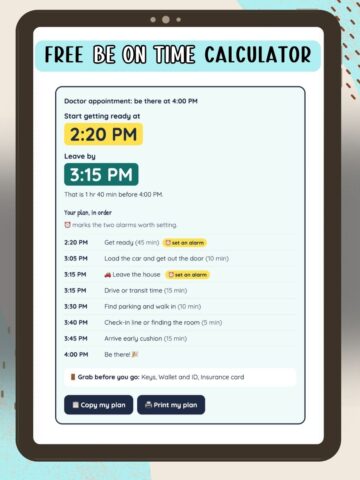
We're on a mission to share free browser tools we built for our own ADHD brains!
With these free ADHD tools, there's nothing to download and no account to make. Open one, tap a few choices, and it does the thinking for you.
Add your favorites (or this page) to your phone's home screen and they open like an app.
More tools are on the way. Subscribe and we'll let you know each time a new one is ready.
How to save a tool or this page to your phone
On iPhone (Safari)
- Open the page in Safari
- Tap the Share button at the bottom (the square with an arrow pointing up)
- Scroll down and tap Add to Home Screen
- Type a short name, like Be On Time Calculator or ADHD Tools
- Tap Add
On Android (Chrome)
- Open the page in Chrome
- Tap the three dots in the top right corner
- Tap Add to Home screen
- Type a short name
- Tap Add
The wording varies a little by phone, but it's always in the Share or three-dot menu.